istana77 Casino Mobile App
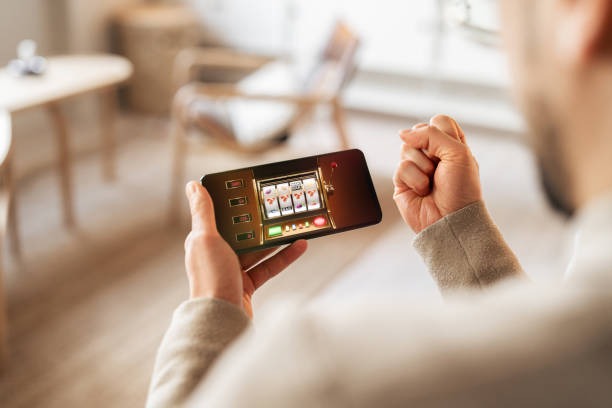
We at istana77 offer mobile access to our sportsbook, live-dealer tables, and slot games through Android APK, iOS browser, and web-app paths. Mobile-first design means you can track Liga 1 and Piala AFF markets, join live blackjack and roulette sessions, or spin Aviator and Sweet Bonanza from anywhere. Our app prioritizes speed, offline caching, and push notifications so you stay connected to your account and active wagers.

- LoginOTP Verification
- DownloadAPK
- SHA256 Match
- Installin
Installing the istana77 app takes a few minutes and requires basic device permissions for notifications and account verification. Once installed, you log in with your existing istana77 credentials and access the full platform—sportsbook (football, badminton, MotoGP), live dealer (Dragon Tiger, baccarat), slots, and esports markets (Mobile Legends, Free Fire, PUBG Mobile)—without switching between apps or browsers.
Our mobile experience is optimized for Android 7+ and iOS 12+. We support deposits and withdrawals via DANA, e-wallet, mobile banking, local payment, online payment, e-wallet, and direct bank transfer (mobile banking, local payment, online payment, e-wallet). Account security, data encryption, and jurisdiction-restricted access apply equally on mobile and desktop.
Download and Install istana77
We provide three installation paths: Android APK direct download, iOS via browser bookmark, and web-app shortcut. Choose the method that suits your device and preference.
Direct download for Android 7 and above. Full app experience with offline cache and push notifications.
Download APKAccess istana77 via Safari on iOS 12+. Add to home screen for app-like experience and quick access.
Open in SafariResponsive web version works on any device. No installation required; bookmark for instant access.
Open Web App
Installation Steps and Setup
-
1
Download the istana77 app fileAndroid APK or iOS bookmark
For Android, download the APK from our app page or a trusted source. For iOS, open Safari and navigate to istana77.app, then tap Share and select Add to Home Screen.
-
2
Allow installation from unknown sources (Android only)Security setting
Go to Settings > Security > Unknown Sources and enable it. This allows your device to install the APK file. Disable it after installation if you prefer.
-
3
Install and open the appLaunch istana77
Tap the downloaded file to install. Once complete, open the app and log in with your istana77 username and password, or create a new account if you are a first-time user.
-
4
Enable notifications and verify your accountPermissions and KYC
Grant notification permissions so you receive alerts about wager updates, promotions, and account activity. Complete any pending KYC verification if prompted.
App vs. browser: key differences
The istana77 app offers offline caching, which means you can view your account balance and recent wager history even without an internet connection. Push notifications alert you to live-game updates, cashback credits, and promotional offers in real time. The app also loads faster than the browser because it stores assets locally. However, the web version requires no installation and works on any device with a browser. Choose the app for speed and notifications; choose the browser for flexibility and no storage footprint.
Device compatibility and requirements
We support Android 7.0 and above on phones and tablets. For iOS, Safari on iOS 12 and above is required. Minimum RAM is 2 GB; we recommend 4 GB or more for smooth performance. Storage space needed is approximately 50–100 MB for the Android APK. Ensure your device has an active internet connection (WiFi or mobile data) for deposits, withdrawals, and live-game access. Older devices may experience slower load times or reduced feature availability.
Troubleshooting common installation issues
If the APK fails to install on Android, verify that Unknown Sources is enabled in Settings. If you see a certificate warning, this is normal for APK files; tap Install Anyway to proceed. On iOS, if the home-screen shortcut does not work, clear your Safari cache (Settings > Safari > Clear History and Website Data) and try again. If the app crashes on launch, restart your device and ensure you have the latest OS version installed. For persistent issues, contact our support team through your account dashboard or via email.
Data, Permissions, and Account Security
The istana77 app requests permission to send notifications, access your device's location (for jurisdiction verification), and store data locally. We encrypt all data in transit using industry-standard TLS protocols. Your login credentials, payment information, and account balance are never stored in plain text on your device. We use secure token-based authentication, so even if your device is lost, your account remains protected as long as you change your password immediately.
When you log in to istana77 on mobile, your session is tied to your device and account. If you log out, all local data is cleared. We recommend logging out on shared devices. Enable two-factor authentication (2FA) in your Account Settings for additional security. Our app complies with data-protection regulations and does not share your personal information with third parties without your consent. For detailed information, see our Privacy Policy
Our services are available only where local law permits. Users in Jakarta, Surabaya, Bandung, Medan, and Semarang must verify that their jurisdiction permits access to istana77 before downloading or using the app. We use geolocation technology to detect prohibited jurisdictions and may restrict access accordingly. Attempting to circumvent jurisdiction restrictions via VPN or proxy violates our terms and may result in account suspension.
The istana77 app is designed for users in supported jurisdictions who have completed account verification and are ready to access our full range of sportsbook markets (Liga 1, Piala Indonesia, Piala AFF, Champions League, Premier League, MotoGP, badminton), live-dealer games (blackjack, roulette, baccarat, Dragon Tiger), slots (Aviator, Sweet Bonanza, Gates of Olympus, Fortune Tiger, Mahjong Ways), and esports markets (Mobile Legends, Free Fire, PUBG Mobile). If you have questions about app functionality or account access, visit our FAQ or contact support through your account dashboard.